Google Search and Etsy
Research web search demand or what Etsy shoppers type. Choose Google's language and country; Etsy research runs through your open etsy.com tab.
Chrome extension for keyword research
Keymint collects the real autocomplete suggestions Google Search and Etsy show for your keyword and every variation of it, then lets you filter, organise and export them in seconds.
Keymint is launching on the Chrome Web Store soon. Email us and we'll tell you when it's available.
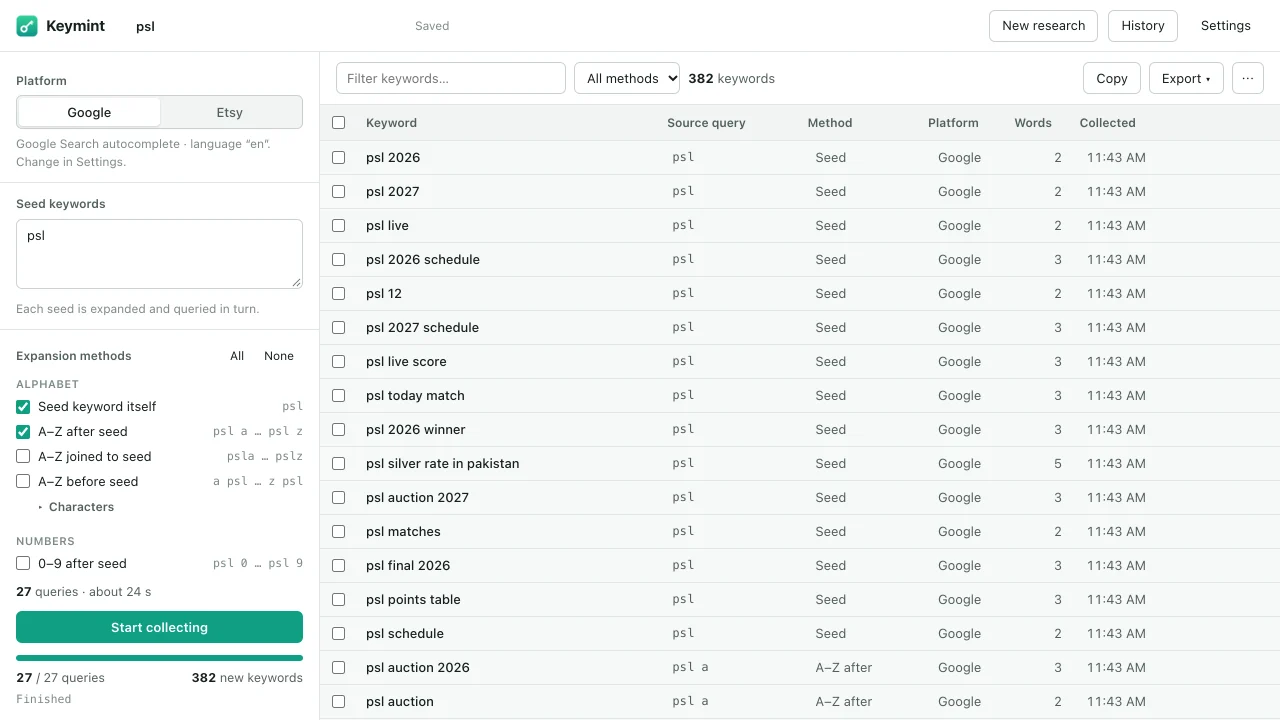
Autocomplete shows only about ten suggestions at a time. Keymint asks it again for every variation you choose, one query at a time, and keeps every real answer.
Search on Google or Etsy and click the Keymint icon. It recognises the page and fills in your keyword. You can also type one or many seeds yourself.
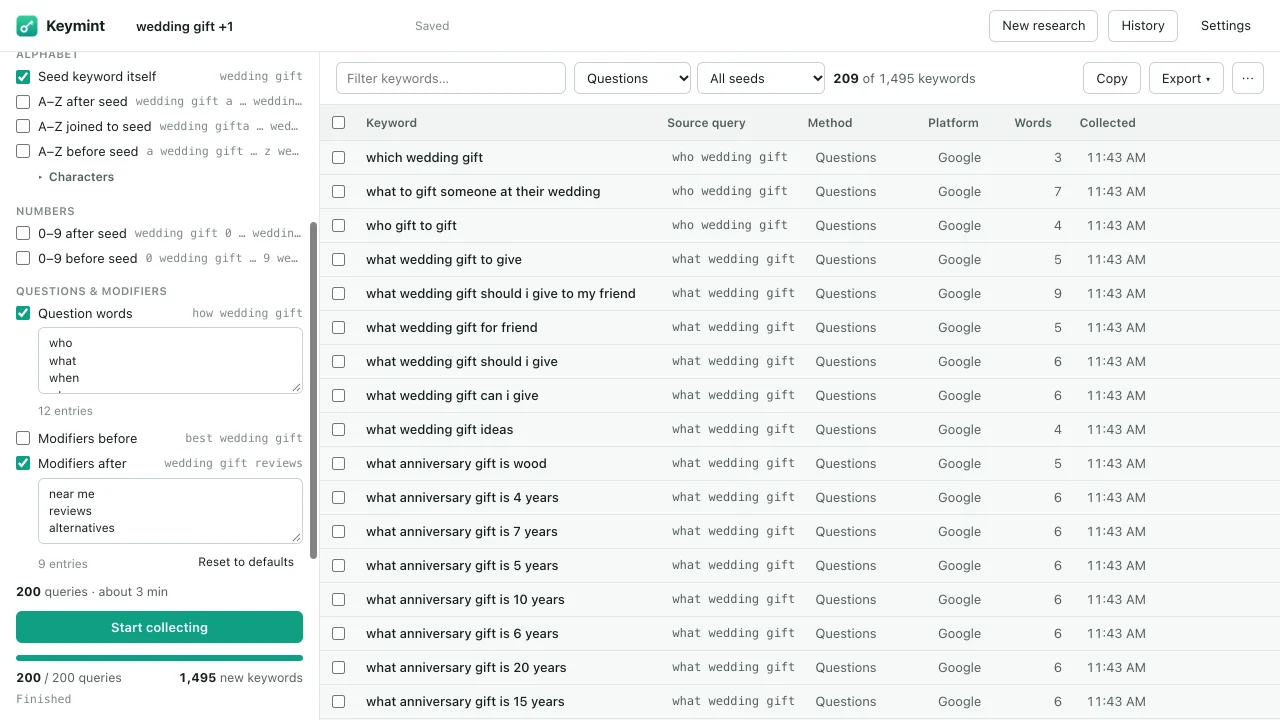
Letters A–Z before or after, numbers, question words, modifiers, your own words, or templates. Keymint shows how many queries that is before you start.
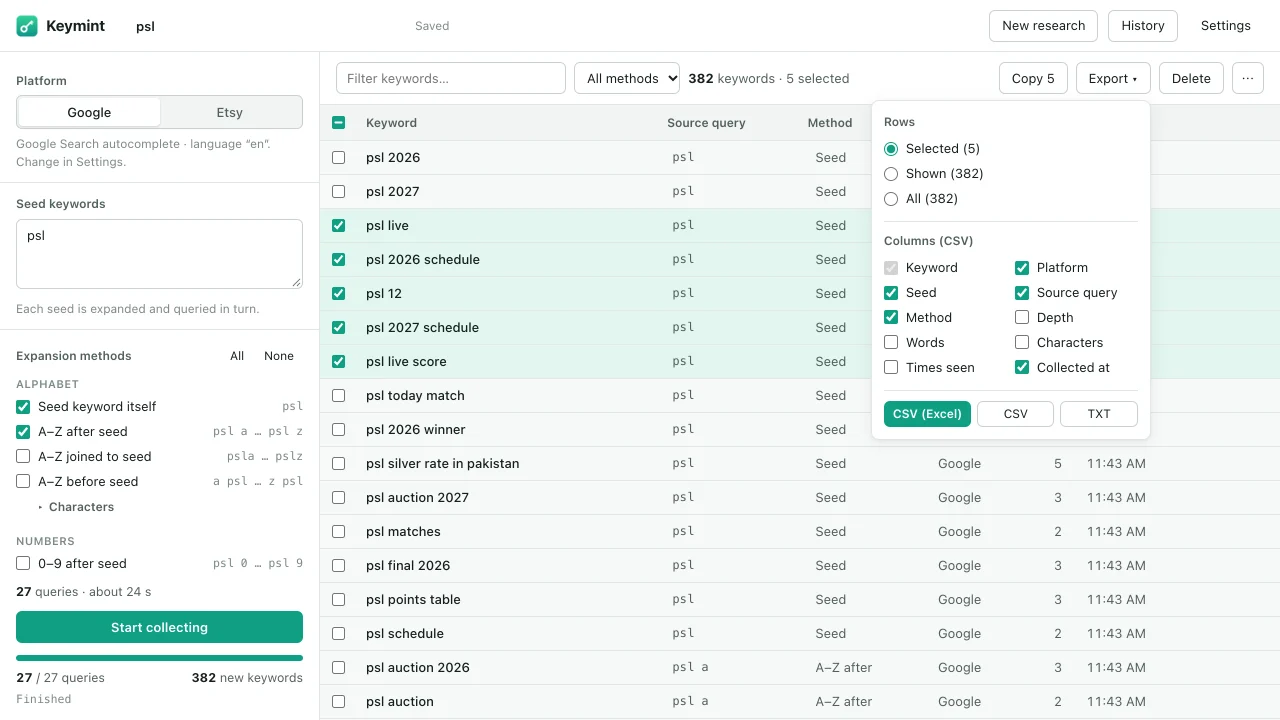
Watch suggestions arrive live. Filter, sort and select them, then export to CSV for Excel or Google Sheets, TXT, or your clipboard.
psl a
used only to ask
Suggestions shown were returned by Google for “psl a” on 23 October 2026. In our tests that week, the seed “psl” plus A–Z (27 queries) gave between 380 and 395 unique suggestions per run. Results vary by keyword, language, country and day.
Research web search demand or what Etsy shoppers type. Choose Google's language and country; Etsy research runs through your open etsy.com tab.
A–Z after, before or joined to your keyword, 0–9, who/what/how questions, modifiers like “best” or “near me”, Etsy product attributes and your own words.
Write patterns such as best {seed} {x} or how to watch {seed} {x} and Keymint fills in your keyword and every letter.
Add the suggestions under the Google or Etsy search box with one click. Turn on Live capture to collect them as you type; the toolbar icon shows “LIVE” while it is on.
Duplicates are removed automatically, ignoring letter case and Unicode variants while keeping the original text. Negative keywords hide terms you don't want.
Optional recursive expansion queries new suggestions again, with depth and query limits so a run never gets out of hand.
Search (with regular expressions), filter by method, platform or seed, sort and bulk-select tens of thousands of keywords without slowing down.
Pause or cancel at any time without losing results. Close the tab mid-run and resume later. Sessions are saved on your device with full history.
CSV ready for Excel and Google Sheets, plain CSV, TXT or clipboard. Choose rows and columns; every language, comma and quote survives intact.
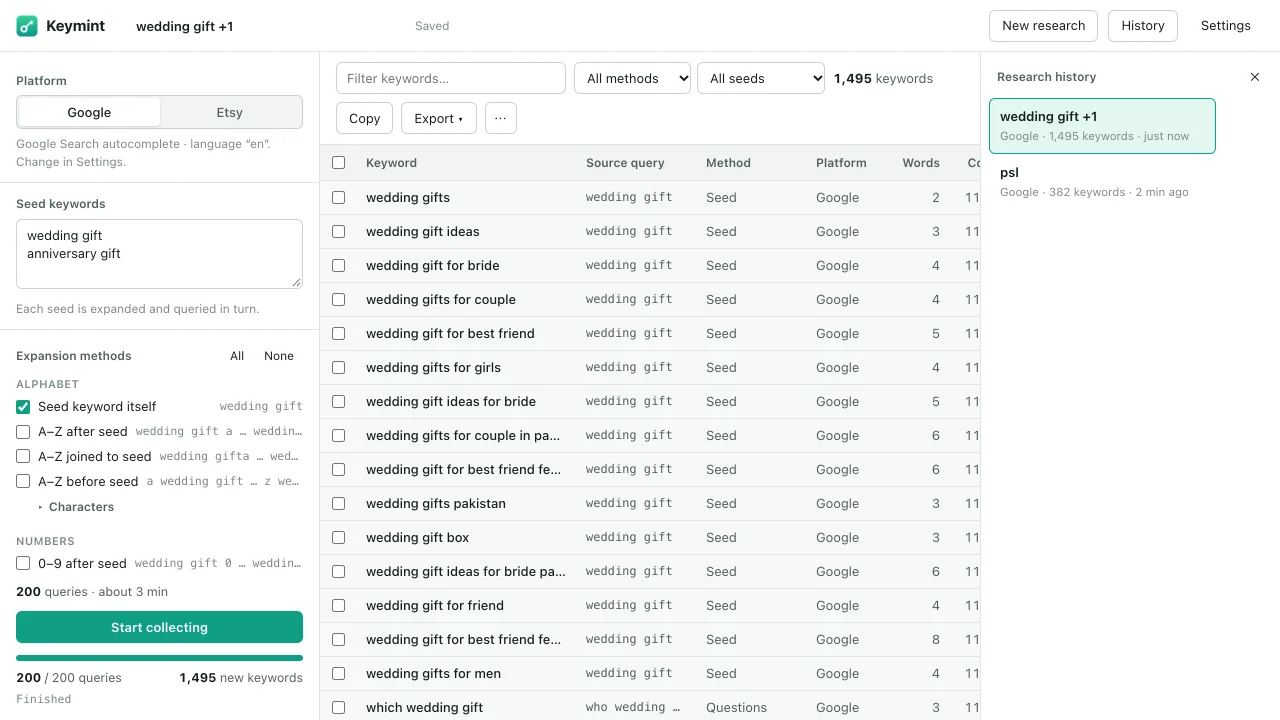
Keymint has no servers, no accounts, no analytics and no ads. Your keyword research is stored only in your browser.
Straight answers, so you know what to expect.
No. Keymint lists the suggestions Google and Etsy actually show, with the query that produced each one. It does not invent or estimate volume, CPC, competition or difficulty. Export your list to the keyword tool of your choice if you need those numbers.
In your Chrome profile on your own computer. Nothing is uploaded to Dropwebs or anyone else. You can turn off saving sessions, delete individual sessions, or remove everything from Keymint's settings.
Etsy only answers suggestion requests made from its own website. Keymint sends them from an etsy.com tab in your browser, one at a time, the same way a search you type would be sent. Keymint asks before opening a tab for you.
Yes. Choose Google's language and country in Keymint's settings. Keywords, exports and imports handle every script, including Urdu, Arabic and Chinese. You can even replace the A–Z letters with characters from your own alphabet.
Keymint stops straight away and keeps everything collected so far. Wait a little, then press Resume; you can also slow the pace in settings. It never tries to get around limits or verification checks.
Yes. Import a CSV or TXT file and Keymint merges it into your research, skipping duplicates.
Keymint is built and tested for Google Chrome on desktop.
No. Keymint is made by Dropwebs and is not affiliated with, endorsed by or sponsored by Google or Etsy.
More questions or a problem to solve? Visit Keymint support.